The browser for people who loved Arc
Spaces, pinned tabs, split view and a command bar, just like you're used to. Bring your Arc sidebar over in one click.
Download Meridian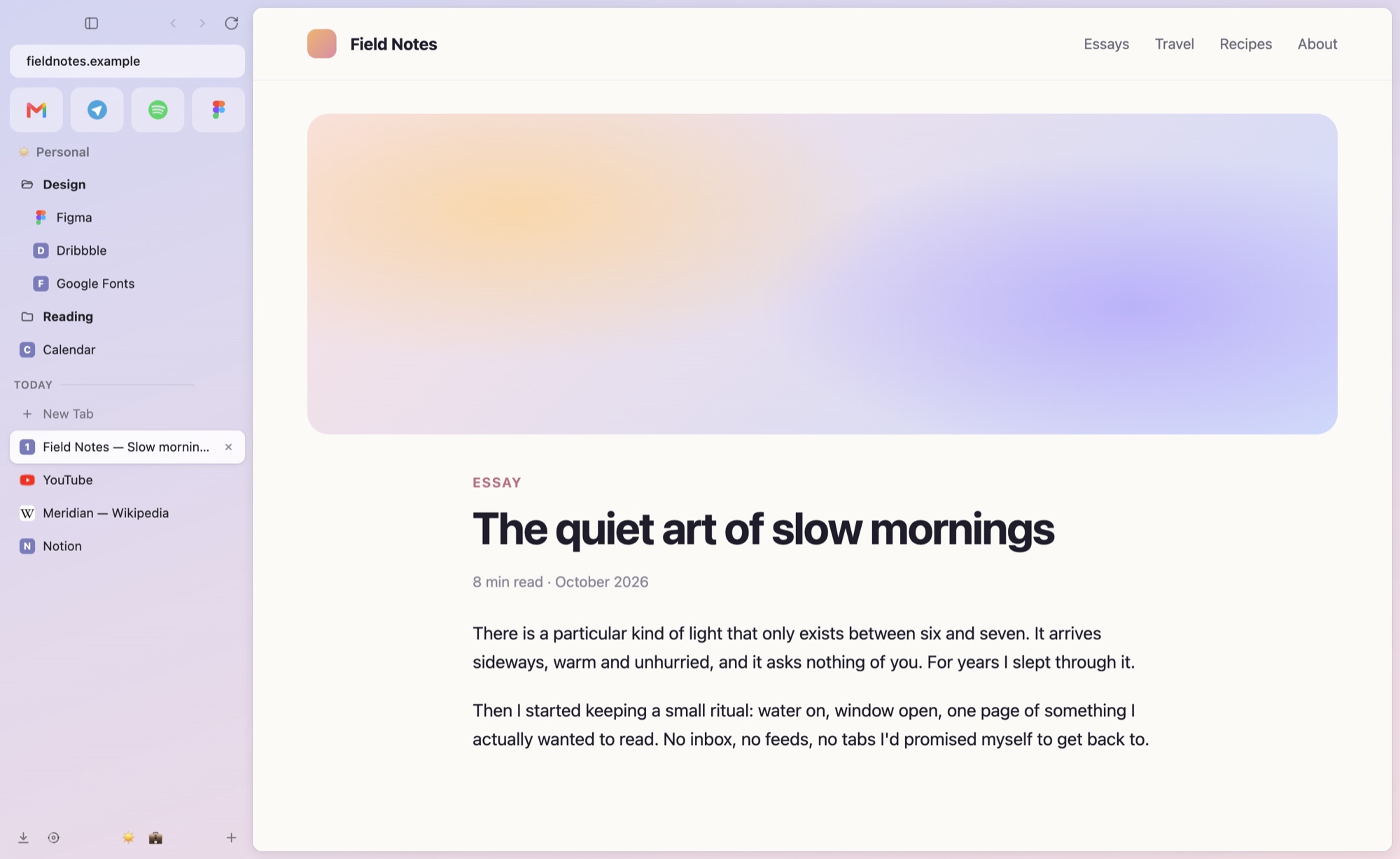
Install in a minute
Pick your computer. No accounts, no sign-up.
- 1
Open Terminal
Press ⌘ Command + Space, type Terminal and press Return. A window with text opens — that's it, nothing scary.
- 2
Copy this line, paste it there, press Return
Click Copy, click into Terminal, press ⌘ V and then Return.
curl -fsSL https://meridianbrowser.app/install.sh | bash - 3
Done — Meridian opens by itself
It's now in your Applications folder, like any other app. Coming from Arc? Meridian offers to bring your spaces and tabs over right away.
I'd rather download it the usual way
- Download the file for your Mac: Meridian 0.6 needs a Mac with Apple silicon. Apple menu → About This Mac: "Chip Apple M…" means Apple silicon.
- Open it and drag Meridian into Applications.
- The first time, macOS will refuse to open it because Meridian isn't from the App Store. Open System Settings → Privacy & Security, scroll down and click Open Anyway.
- 1
Download the installer
Download for Windows - 2
Open it. If a blue window appears, click "More info", then "Run anyway"
Windows shows this for apps from small developers. It's expected.
- 3
Wait a moment: it installs by itself
Meridian appears on your desktop and in the Start menu.
- …
Meridian for Linux isn't out yet
Meridian 0.6 is for macOS and Windows. The Linux build comes later.
Everything you liked about Arc
And a few things Arc never had.
Spaces & sidebar
Separate spaces for work and life, each with its own colour and logins. Swipe between them.
One-click Arc import
Spaces, colours, pinned tabs, folders and favorites move over on first launch.
Today tidies itself
Tabs you haven't touched in a while go to the archive. Pinned ones stay. Nothing is lost.
Split view & Peek
Two pages side by side, and links that open in a quick preview instead of a new tab.
AI built in
Ask about any page or anything at all, right from the command bar. Use your Claude API key, GitHub Copilot or a free local model.
Private by default
Built-in ad and tracker blocking. No account, no telemetry. Your data stays on your computer.
Questions
Is it really free?
Yes. Meridian is open source (MIT license). No subscription, no account, no ads.
Why does my computer warn me about it?
Apple and Microsoft show warnings for apps that aren't signed with their paid developer certificates. Meridian doesn't have those yet. The Mac command above installs it without the warning; it downloads the app straight from GitHub and checks that the file wasn't changed on the way.
Is the Terminal command safe?
It only downloads the latest Meridian release from GitHub, checks its checksum and puts the app in Applications. It never asks for your password. You can read the script before running it.
Will my Arc logins come over?
Yes. Your spaces, pinned tabs, folders and favorites come over, and so do your logins: Meridian copies Arc's cookies into the matching profiles (on macOS after you allow the keychain prompt), so sites you were signed in to stay signed in. Saved passwords and cards, history and boosts come over too. Nothing leaves your computer and Arc isn't changed. On Windows, quit Arc before importing.
How do I update?
Meridian updates itself: it checks every 20 minutes, shows what's new and restarts with your tabs. From version 0.6.13 on, it downloads only what changed.
Do Chrome extensions work?
Yes. Meridian is built on Chromium, so extensions from the Chrome Web Store work, and your Arc or Chrome extensions come over with the import (Arc's, on Windows, not yet). Ads and trackers are blocked built in.